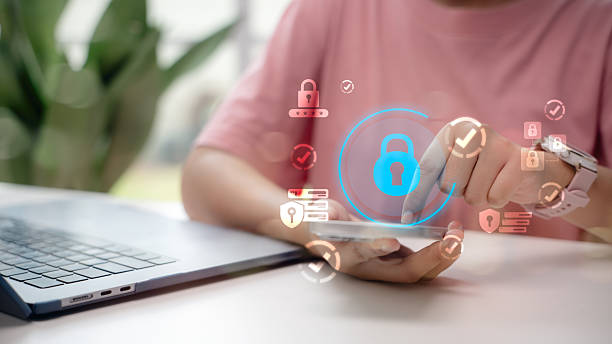
Think about how much of your life lives inside your phone or laptop. Your school assignments, your private chat history, your photos, your gaming accounts, and your digital wallet data are all packed into a few silicon chips.
Now, think about this: bad actors and automated hacking scripts don't target people based on how old they are. They target vulnerabilities.
As a high schooler navigating a hyper-connected world, you are a prime target for credential leaks, phishing campaigns, and account takeovers. But keeping your digital identity secure doesn't mean you need to become a certified cybersecurity engineer overnight. It just means implementing basic digital hygiene.
Here is your five-step starter kit to make your digital life incredibly difficult to hack.
1. Upgrade from "Memorable" to "Uncrackable" Passwords
If your password contains your pet’s name, your birth year, your favorite sports team, or any variation of 123456, your account security is essentially zero. Modern hacking tools can use automated "dictionary attacks" to guess millions of these combinations in seconds.
- The Blueprint: A secure password should be at least 12 to 15 characters long and combine random uppercase letters, lowercase letters, numbers, and symbols.
- The Hack: Switch to passphrases. Instead of trying to memorize a confusing string like p@$$w0rd!, choose four random, completely unrelated words and string them together (e.g., ToasterLaptopGiraffePizza). It is incredibly easy for your brain to visualize and remember, but mathematically impossible for a computer script to guess quickly.
2. Deploy a Password Manager (Stop Reusing Credentials)
The biggest mistake you can make is using the exact same password across your Discord, school portal, email, and gaming accounts. If a low-security gaming website suffers a data breach, hackers will immediately take your leaked email and password combination and try it on major platforms like Google, Instagram, and Spotify.
- The Strategy: Use a trusted, encrypted password manager (such as Bitwarden or 1Password).
- How it works: You only have to memorize one single, bulletproof master password to unlock the manager. The software then automatically generates, remembers, and autofills unique, 20-character uncrackable passwords for every single application you use.
3. Lock the Front Door with App-Based 2FA
Two-Factor Authentication (2FA) adds a second layer of defense. Even if a hacker successfully guesses your password, they still cannot access your account without a secondary, time-sensitive code sent to your physical device.
- The Setup: Whenever an app offers 2FA, turn it on immediately.
- The Rule: Avoid SMS (text message) 2FA whenever possible. Hackers can perform "SIM-swapping" attacks by tricking your cell provider into routing your text messages to their phones. Instead, download a dedicated authenticator app like Google Authenticator or Microsoft Authenticator. These apps generate local, rolling 30-second codes directly on your device that cannot be intercepted online.
4. Master the Art of Phishing Detection
Phishing is when a malicious actor tricks you into clicking a dangerous link or downloading a file by pretending to be an authority figure, a bank, a gaming company, or even a friend.
The Red Flag Checklist: Before clicking any link in an unexpected email, DM, or text message, check for these three anomalies:
- The Sender's Address: The email might say it's from "Netflix," but when you click the sender's profile, the actual address reads support@netflix-security-update-482.com.
- Artificial Urgency: Phrases like "Your account will be permanently deleted in 24 hours if you don't verify now!" are designed to panic you into acting before you think.
- The Silent Link Check: On a computer, hover your mouse over the link without clicking it to preview the destination URL. If it looks suspicious or slightly misspelled, stay away.
5. Segment Your Networks and Devices
Your digital footprint extends to the physical hardware and networks you connect to daily. Free public Wi-Fi networks at coffee shops, schools, or libraries are notoriously insecure.
- Public Wi-Fi Danger: Attackers can easily set up fake networks with names like Free_Coffee_Shop_WiFi to intercept all the data unencrypted devices transmit through the air.
- The Protocol: If you must use public networks, avoid logging into sensitive applications like your banking app or student portal. Keep your devices updated; those annoying software update notifications on your phone or laptop often contain critical security patches designed to close zero-day exploits that hackers are actively using in the wild.
Digital Safety is a Habit
Cybersecurity isn't a single product you buy; it is a mindset. By taking thirty minutes this weekend to set up a password manager, turn on authenticator apps for your primary email, and audit your privacy settings, you drastically reduce your digital vulnerability footprint. Build these habits now, and your digital identity will remain secure throughout high school, college, and your professional career.